Client onboarding
The setup steps a new client completes after the first sign-in — what each step asks, what is required, and where the answers show up for you.
After the first sign-in, a new client goes through a short set of setup pages. The answers fill the same profile you see on the client's page. So a client who completes onboarding saves you the intake call.
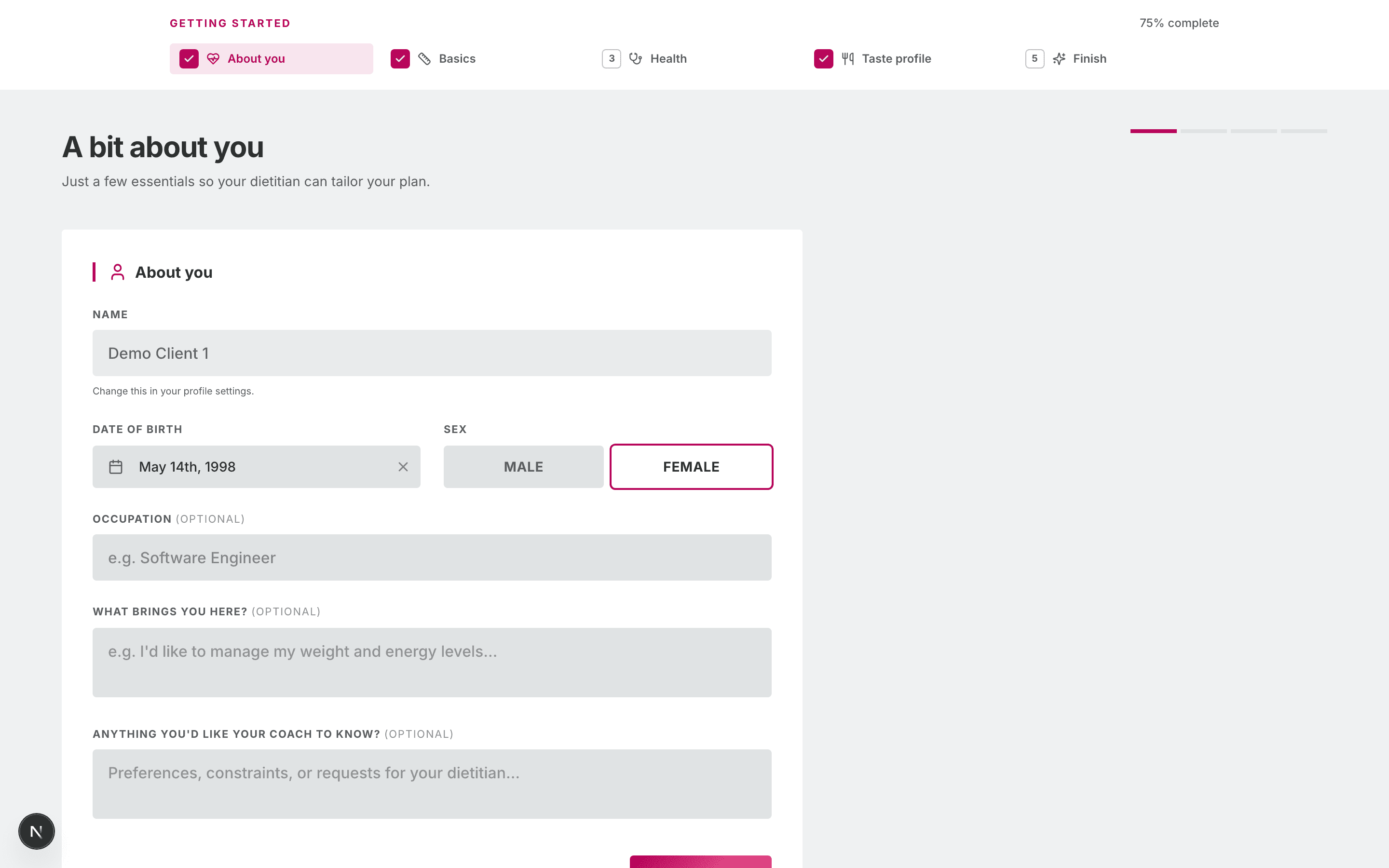
The onboarding pages have no sidebar. A step bar at the top shows the progress.
The steps
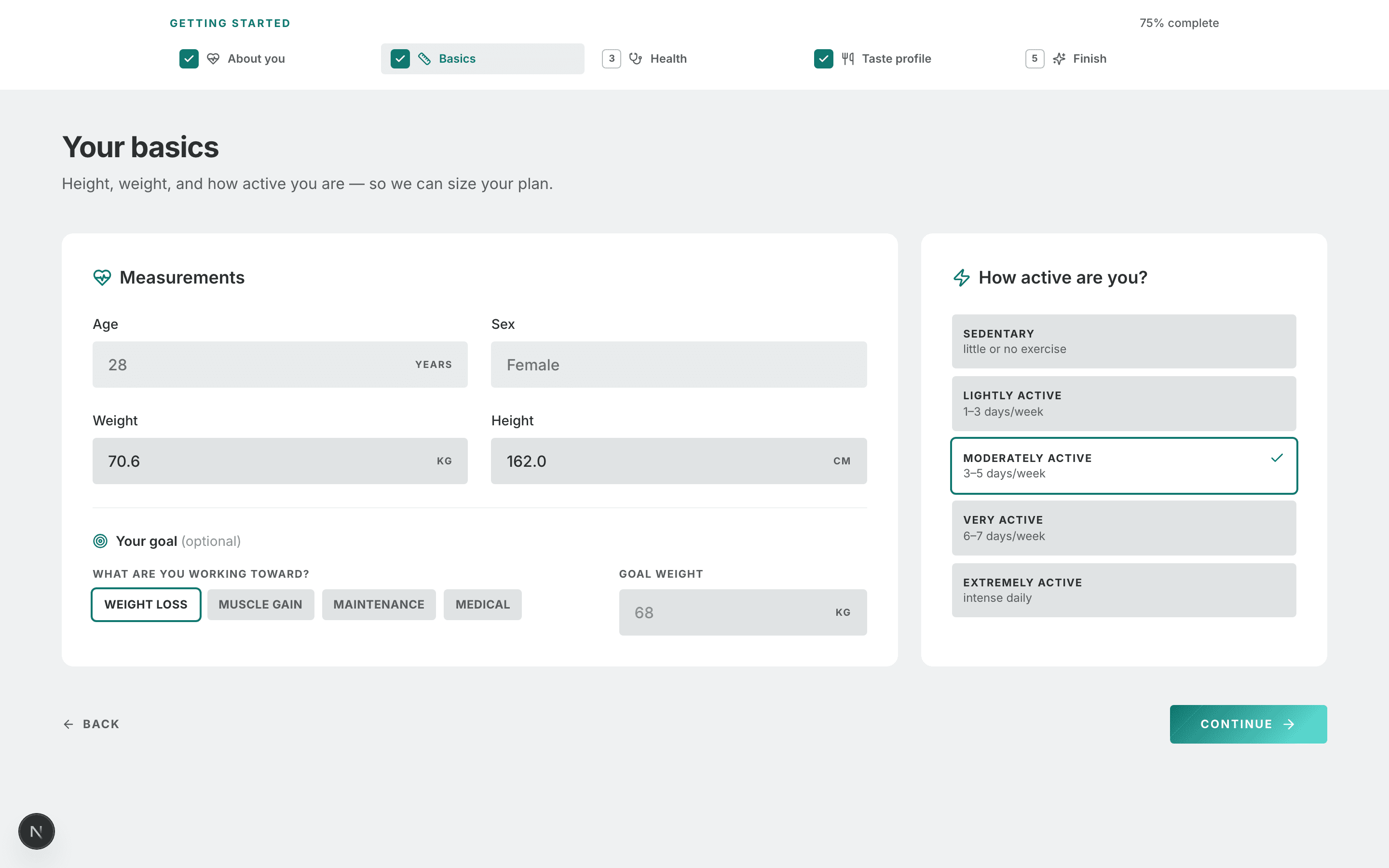
The step bar has five items: About you · Basics · Health · Taste profile · Finish. The Health item covers three pages. The client can click a done step to go back to it.
| # | Page | What it asks | Required |
|---|---|---|---|
| 1 | Welcome | Nothing. It explains the portal. Get started opens the next page. | — |
| 2 | A bit about you | Date of birth, Sex, Occupation, "What brings you here?" and "Anything you'd like your coach to know?". The name is shown but locked. | Date of birth and sex |
| 3 | Your basics | Weight (kg), Height (cm), How active are you?, and an optional goal with Goal weight. Age and sex come from step 2. | Weight, height and activity |
| 4 | Lifestyle & habits | Smoking, alcohol, sleep quality, stress level, work nature, average sleep and daily water. | No — Skip this step |
| 5 | Allergies & intolerances | Food allergies (with an optional reaction), Food intolerances, or I have no known allergies. | No — Skip this step |
| 6 | Medical history | Health conditions, Family health history, Supplements & vitamins and Life stage. | No — Skip this step |
| 7 | What do you like to eat? | A short wizard: Cuisines, Preferences, Vegetables, Proteins & Dairy, Grains & More, Review. The last button is Finish taste profile. | The diet type |
| 8 | You're all set. | A summary page. Go to dashboard marks onboarding as done. | — |
The Continue button on steps 2 and 3 stays off until the required fields are filled.
Tip: The client must pick a diet on the taste profile step. We do not generate a meal plan without a diet type. If a client skips onboarding, set the diet type yourself on their profile. See Clients.
Allergies are strict
The allergies page tells the client "Your meal plan will strictly avoid these." This is true. Allergies are hard rules when you generate a meal plan. Ask clients to add real allergies only, and to put mild dislikes in Preferences.
The dashboard banner
Until the client clicks Go to dashboard on the last page, their dashboard shows a banner.
| Progress | Banner text | Button |
|---|---|---|
| Not started | "Let's set up your profile" | Get started |
| Partly done | "Finish setting up your profile" | Continue |
| All steps done, not confirmed | "Review & finalize your profile" | Finalize |
After onboarding is done, the onboarding pages send the client to the dashboard.
Where the answers go
Each answer saves when the client moves to the next page. You see the data on the client's profile at once.
| Onboarding page | Where you see it |
|---|---|
| About you, Your basics | The client's Overview tab, and the calorie and macro targets |
| Lifestyle & habits | Edit profile → Lifestyle & social |
| Allergies & intolerances | The Conditions, Allergies & Medications card |
| Medical history | The Conditions, Allergies & Medications card and Edit profile → Medical history |
| Taste profile | The Taste Profile card |
For details, see Clients.
After onboarding
The client can change most answers later:
- Diet, cuisines, spice and likes — on Preferences. See Records & profile.
- Date of birth, height, weight, goal and activity — on My Profile.
The client cannot change their name or email. If a client needs a new name, change it on their profile in your portal.
Common workflows
I added the client myself and filled in the intake
The client still sees the onboarding pages at the first sign-in. The pages show your answers, so the client only checks them and clicks Continue.
A client stopped half-way
Nothing is lost. The dashboard banner shows Continue and opens the next step.
What's next
- Meal plan & food log — what the client sees once you assign a plan.
- Clients — the profile the onboarding answers fill.
- How clients get in — invites and sign-up links.
How clients get in
Invite links, the public sign-up link, the client sign-in page and password resets — what the client sees at each step.
Meal plan & food log
What the client sees on My Meal Plan and Food Log — the active plan, recipes, your meal notes, the PDF, logging meals and extras, and where calories do show.